When someone lands on an online store, the first thing that grabs attention is the product image, not the description or price. This is exactly why businesses must professionally edit product photos to ensure that initial, split-second visual impression instantly builds trust and drives a sale. A good, clean photo that inspires confidence, whereas a dull or unclear photo will often raise doubts. This is the significance of product photography and detailed editing to sell online. The purpose of editing product photos for e-commerce stores is to make the product seem real, trustworthy, and worth a second look.
Where good product images really begin
There is a common belief that strong product photos are created during editing. In reality, most of the work is done before the camera is even picked up. The basis of a good image is a clean product setup, good placement, and selecting the right angle. If the base shot is well thought out, it naturally minimizes heavy editing later, and it helps the result stay realistic and authentic.
Start by reviewing your shots and selecting the best base images. Then pick photos with correct focus, minimal noise, and even lighting. Editing should refine these images, not fix fundamental mistakes. When the base image is clear, the edits are subtle, and the product feels more authentic.
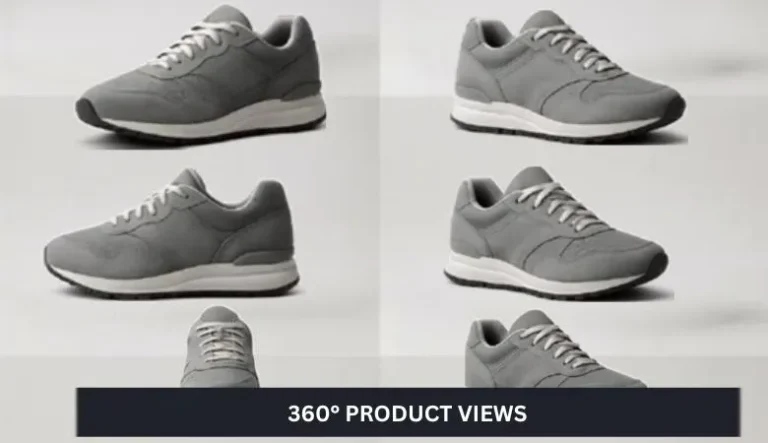
A closer look at different product photo styles
Not every product should be shown the same way. So, decide first which styles the listing needs and edit accordingly:
- Single product shot: Generally, crop tightly on a clean background, remove unwanted distractions, and place the item at the center.
- Close-up and shot in detail: sharpen and enhance texture, correct color for accurate material representation.
- Scale shot: show the product next to a familiar object, then keep proportions accurate, and remove any lens distortion.
- Lifestyle image: color-grade to match the scene, enhance mood without overshadowing the product.
Combine all these styles to help customers understand the product fully. In editing, make sure each style supports clarity: background cleanup for the main shot, clarity and contrast for close-ups, and subtle color grading for lifestyle photos.
The role of simple equipment in editing results
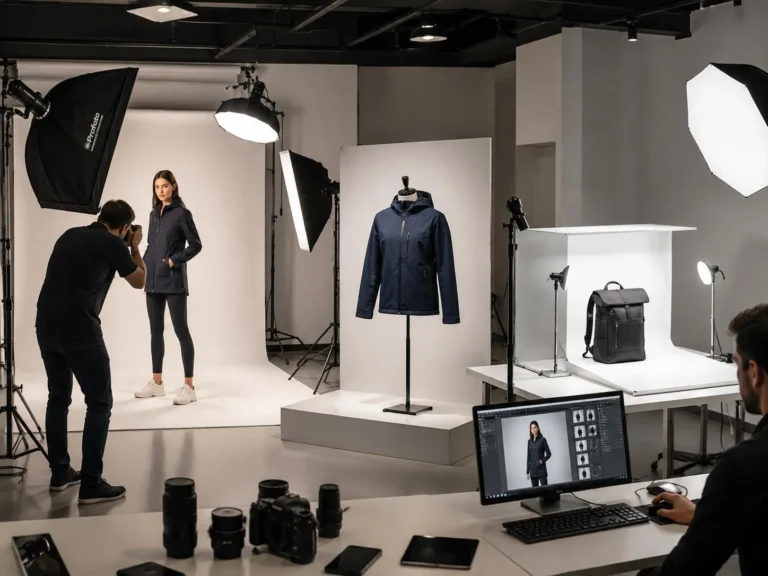
Many store owners think expensive gear is required, but editing benefits most from good base photos. Still, a few basic tools make editing easier:
- A camera or phone that captures detail, so sharpening and noise reduction in post are minimal.
- Tripod shots reduce movement, so editing won’t have to correct blur.
- Consistent lighting during shooting means fewer exposure fixes and better color balance.
When the source files are consistent, batch editing becomes effective. Use the same camera settings and lighting to create a uniform catalog that requires fewer individual tweaks.
Backgrounds that do not compete with the product
Simple backgrounds make editing faster and cleaner. White or neutral sweeps ease background removal and allow accurate color correction. While lifestyle backgrounds add context, during editing, ensure they don’t distract: selectively soften or desaturate areas around the product, and keep the subject sharp.
If you need to replace backgrounds, use clean masks and preserve natural shadows. Avoid over-blurred or artificial backdrops that break trust.

The quiet importance of choosing the right lens (and correcting its effects)
Lenses influence how a product appears and what edits are required. A macro lens emphasizes fine details and needs precise sharpening and noise control. A standard lens preserves natural proportions and reduces the need for distortion correction.
In editing, check for lens distortion and perspective issues and correct them lightly so proportions remain realistic. Preserve color consistency across shots so different lenses don’t create a mismatched look in your storefront.
Editing as the final step, not the first
Once you have your chosen photos, editing polishes rather than rebuilds. Follow a clear sequence:
- Select the best shots from multiple frames.
- Crop and straighten to center the product and match the platform aspect ratios.
- Adjust exposure and white balance to restore true colors.
- Remove small distractions such as lint, dust, and stray reflections by using spot-heal and clone tools.
- Sharpen and reduce noise, focusing on natural texture rather than oversharpening.
- Check colors on a calibrated screen and make final vibrance/saturation tweaks.
- Save master files and export web-optimized copies at required sizes and quality settings.
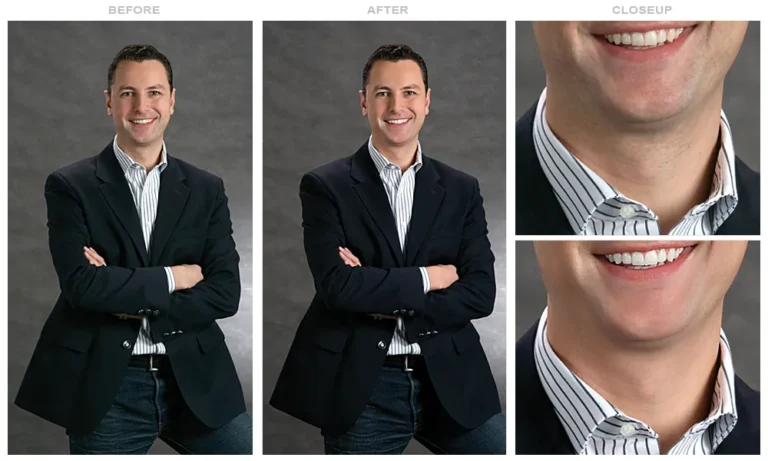
Keep edits honest: show the product as it is. Subtlety builds trust; over-editing creates disappointment and returns. If you prefer to outsource, choose services that keep edits consistent across your catalog so every product matches in tone and finish.
Small habits that improve every product shoot (and editing)
Certain practices quietly improve results and reduce editing time:
Shoot multiple angles: more choices reduce the need for heavy fixes.
- Keep the product centered and consistent with your store’s framing guidelines.
- Use props sparingly, then mask and tone them consistently during editing.
- Maintain consistent lighting and color profiles so batch edits work well.
- Compare edited images to the real product to keep accuracy in check.
These habits lower return rates and increase buyer confidence because images match customer expectations.
When handling or editing product photos becomes overwhelming
As an online store grows, image work can become time-consuming. Editing every photo and keeping the look consistent can slow operations. At that point, outsourcing or a dedicated editing workflow helps. Professional services handle background removal, color correction, clipping paths, and batch resizing so your listings look polished and uniform. When images aren’t creating the right impact, changing how you edit (or who edits) can make a clear difference.
Reach out to Plexail for consistent product-image edits and support: +91 9819259097.
FAQs - Edit Product Photos
Is expensive equipment needed to create good product photos?
How many photos should be added for one product?
When should professional editing services be used?
When managing many products becomes difficult, or consistency starts to slip, getting help can save time and improve quality. Reach out to Plexail for professional photo editing services.