Key Takeaways
- Raster images are pixels; photos and detailed artwork are almost always raster.
- Vector images are math; logos and icons are almost always vector.
- Raster looks great at its original size, then degrades once you scale it up.
- Vector stays sharp no matter how big or small you make it.
- Most real-world projects use both: a raster photo with a vector logo layered on top.
If you’ve ever sent a logo to a printer and got back a blurry mess, you already know that not all image files are created equal. The whole vector-versus-raster debate sounds technical, but it really just comes down to one simple question: is the image made of pixels, or is it made of math?
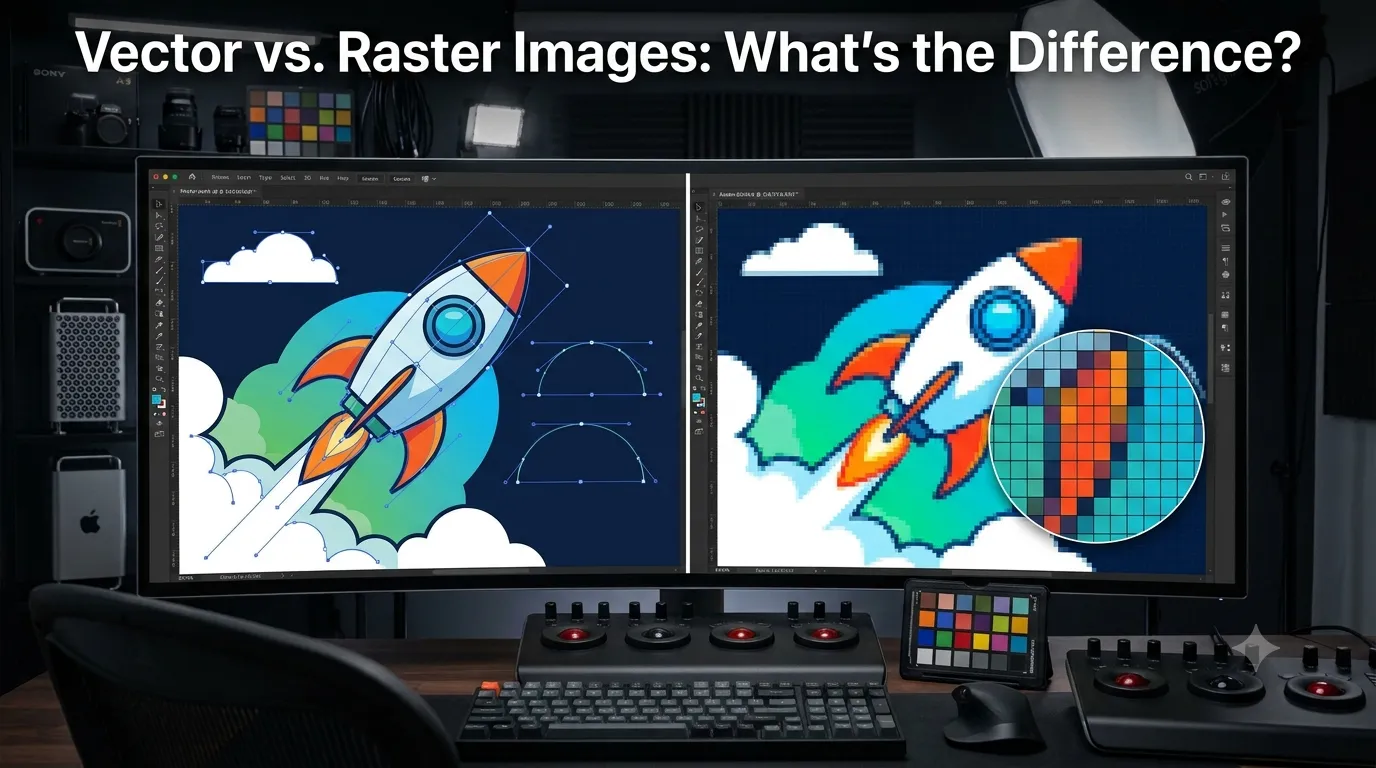
A raster image is built from a grid of tiny colored squares called pixels. Once you’ve used up all the pixels a file has, that’s it; stretch it further, and it turns soft, blocky, or downright ugly. A vector image skips pixels altogether. It’s drawn from mathematical paths, so it can be blown up to the size of a billboard or shrunk to a favicon and never lose a hair of sharpness.
Here’s the catch most people run into: they design something as a raster file (a JPEG straight off a phone or a screenshot from Canva) and then need it resized for print, embroidery, or signage, and it falls apart. That’s usually the moment someone starts searching for a way to convert the file into something that scales cleanly, which is exactly the gap Plexail fills. Plexail specializes in taking messy raster artwork and turning it into clean, crisp vector files ready for anything from a business card to a storefront sign.
What is a Raster Image?
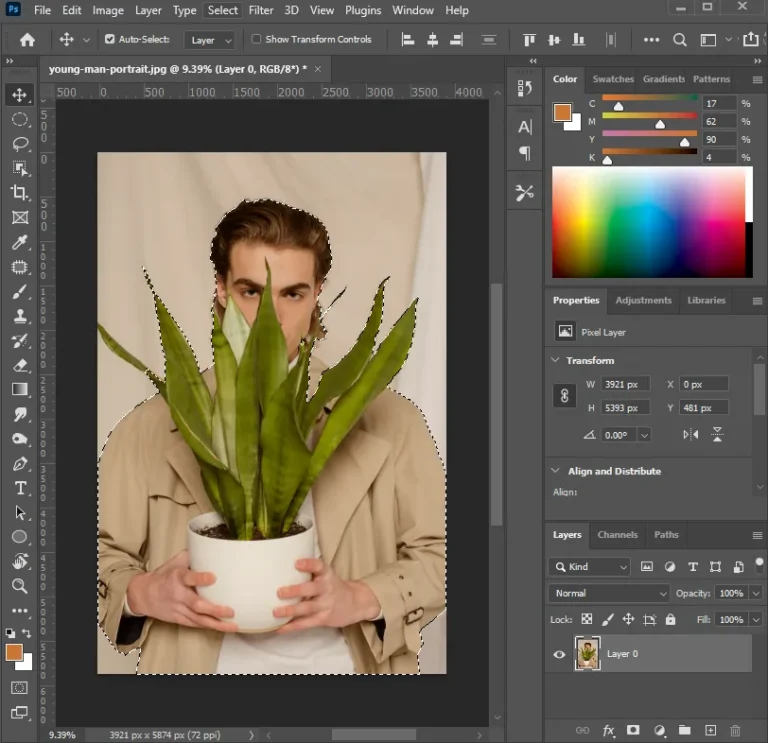
Picture a mosaic made of thousands of tiny colored tiles that’s basically a raster image. Zoom in far enough, and you’ll see the individual squares; that blockiness is pixelation, and it’s not a glitch; it’s just the file running out of information. Because raster images are pixel-based, their sharpness is capped by how many pixels they contain. A photo with a high pixel count can be printed fairly large and still hold up. One with fewer pixels turns fuzzy the moment you push it past its natural size. This is why almost all photography is raster. Cameras record light as pixel data, and that richness, subtle shadows, skin tones, and the gradient of a sunset are something raster handles far better than vector ever could.Common raster file types:
| Format | Typical Use |
|---|---|
| JPEG (.jpg) | Everyday photos, web images |
| PNG (.png) | Photos or graphics that need transparency |
| TIFF (.tif) | High-quality print or archival work |
| PSD (.psd) | Editable working files in Photoshop |
What is a Vector Image?
Vector images take a completely different approach. Instead of pixels, they’re built from points, lines, and curves defined by formulas. Think of a vector file as a set of instructions telling a computer, “Draw a line from here to there, then curve it this way.” Because those instructions get redrawn fresh every single time, vectors are resolution-independent; enlarge one all day and the edges never soften. That’s exactly why vectors are the standard for logos, icons, and illustrations: anything that has to look identical, whether it’s a tiny website favicon or a six-foot-tall sign on a shopfront. It’s also why any design studio worth its salt will ask for your logo as a vector file rather than a JPEG; it guarantees the same crisp quality no matter what happens to it down the line. If all you’ve got is a scanned or low-res version, this is precisely the kind of job Plexail handles, turning a rough raster logo into a properly built vector file that won’t fall apart the next time you need to resize it.Common vector file types:
| Format | Typical Use |
|---|---|
| SVG (.svg) | Web graphics, icons, and scalable logos |
| AI (.ai) | Native Adobe Illustrator files |
| EPS (.eps) | Print-ready artwork |
| PDF (.pdf)* | can hold either vector or raster data |
Vector vs. Raster: Key Differences
With both formats clear, it helps to see them side by side. Here’s a raster vs. vector image comparison worth keeping handy when briefing a designer or exporting a file:| Feature | Raster | Vector |
|---|---|---|
| Made of | Pixels | Paths and points |
| Scaling | Loses quality when enlarged | Stays sharp at any size |
| Best for | Photographs, detailed textures | Logos, icons, illustrations |
| File size | Larger, especially at high resolution | Usually smaller |
| Editing | Photoshop and similar tools | Illustrator and similar tools |
| Color and detail | Handles gradients well | Best with flat, solid color |
| Common formats | JPEG, PNG, TIFF, PSD | SVG, AI, EPS |
When to Use Each
Go raster for photographs or anything that needs fine detail, shading, or realistic texture, such as skin, fabric, and natural light. It’s also the right call for images going straight onto a website or social feed at a fixed size, since they won’t be stretched much after publishing. Go vector for a logo, icon, or anything likely to get resized often and always when artwork needs to print at multiple sizes, say a business card today and a trade-show banner next month.A quick real-world example: say you run a small coffee roastery and your logo currently exists only as a PNG someone exported from a phone app. It looks fine on Instagram, but the moment you try to put it on a coffee bag, a window decal, or a delivery van, it turns pixelated on anything bigger than a business card. This is the exact scenario. Plexail was built for you: you send over the raster file, and it comes back as a clean vector you can scale to a van wrap without a single jagged edge.