Key Takeaways
- Most quality lies in the filming stage: good focus, low noise, and even lighting, which means less work in the editing process.
- Neutral backgrounds and consistent lighting make batch editing quicker and improve store uniformity.
- Follow an order while editing: selection, cropping, exposure, and white balance, spot healing, sharpening, color correction, and exporting.
- Honest editing earns respect, while excessive editing results in returns and bad reviews.
Quality Starts Before the Camera
Good product images begin at setup, not in post. Sensible positioning, angle, and lighting mean far less editing later. Start each shot with correct focus, low noise, and balanced light, and everything downstream gets easier. Fix it at the source, and you are not rescuing it on a screen.Match the Shot to the Product
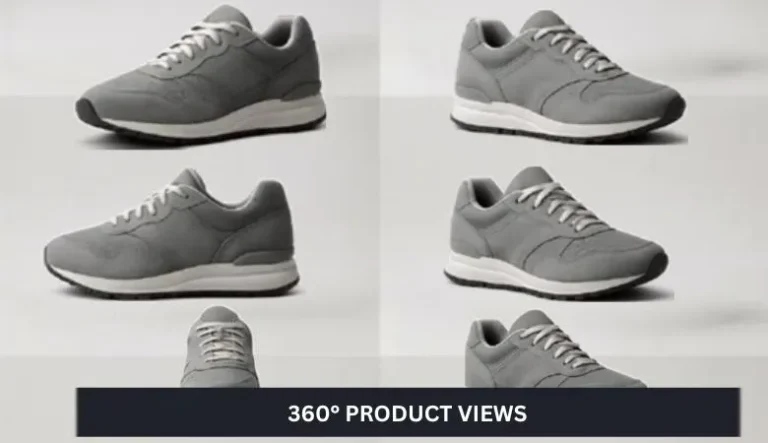
- Single shots. Tight crop on a clean background. Your core catalogue image.
- Close-ups. Emphasise texture and the true material, sharpened with care.
- Scale shots. Use a familiar object so buyers read the real size.
- Lifestyle. Product in context, colour graded to match the scene.
Backgrounds That Stay Out of the Way
Simple, neutral backgrounds speed up editing and keep listings consistent. A white sweep makes background removal and colour correction much easier. For lifestyle shots, keep the product sharp and gently soften the surroundings so nothing competes with it.
Edit in Order
Editing is the last step, not the first. A reliable sequence: pick the best frame, crop, correct exposure and white balance, spot heal dust and flaws, sharpen, cut noise, check colour against the real product, then export at web sizes. Work this way, and you never polish an image you later crop away.Small Habits, Big Payoff
Shoot several angles for editing flexibility, centre products the same way each time, keep props minimal, use a steady lighting setup, and always check the final image against the physical product. These habits cut both editing time and return rates.Mistakes That Undo Good Work
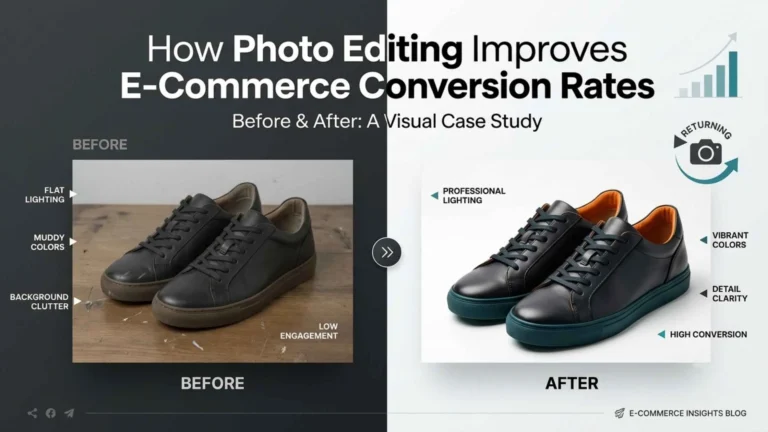
Over-editing. Push colour and smooth away real detail, and the product looks different from what arrives. That is the top driver of returns.
Inconsistent backgrounds and crops. Mixed shades, ratios, and scales make a catalogue look amateur even when each photo is fine.
Rough cutouts. Jagged edges or a faint halo cheapen a product. Clean clipping paths are what make a cutout look professional.
Skipping colour accuracy. No proper white balance means the real colour is misrepresented, the biggest driver of apparel and homeware returns.
When to Hand It Off
A few products are manageable. A growing catalogue that has to stay consistent and on deadline is a production job. A service handles background removal, colour, clipping paths, and batch resizing at volume, which is exactly where in-house editing starts slipping in consistency.