Key Takeaways
- Fully automated clipping path tools are fast but struggle with fine detail, hair, fur, complex jewelry, and transparent fabric. Manual or hybrid (AI-assisted, human-reviewed) work still wins on precision for anything with tricky edges.
- Pricing models vary: per-image, per-batch, and subscription are all common; ask which one a provider uses and how it scales with your volume.
- Turnaround time should be a specific number in writing, not a vague promise; ask before you commit a shoot’s worth of images.
- For US businesses specifically, ask about time-zone overlap and typical response windows, since providers based elsewhere can still offer solid US-hours support.
What to Look for in a Clipping Path Service
Manual review, not just automated cutting. Fully automated background-removal tools have improved a lot, but they still make mistakes on complex edges: flyaway hair, semi-transparent fabric, reflective jewelry. Ask whether a provider’s workflow includes human review and correction, not just an algorithm running unsupervised.
A real sample on your own images. Don’t judge quality from a portfolio of someone else’s best work; send 2–3 of your actual images (including your hardest case, like a busy edge or reflective surface) and see how the provider handles it before committing to a batch.
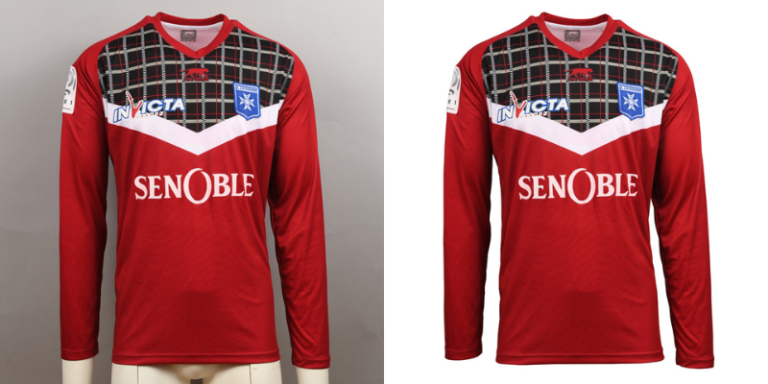
Clear, upfront pricing model. Ask directly: is it per-image, per-batch, or subscription? Does the rate change with image complexity (a simple product silhouette vs. a full garment with fine trim)? Get this in writing before sending a large batch.
Specific turnaround commitment. “Fast” isn’t a real answer. Ask for an actual number (24 hours, 48 hours, whatever it is) and confirm whether that holds for both small and large batches.
Revision policy. Find out how many rounds of revisions are included and what happens if you need more. This helps you avoid being surprised mid-project by an extra charge.
Manual vs. Automated Clipping Path: What the Difference Actually Looks Like
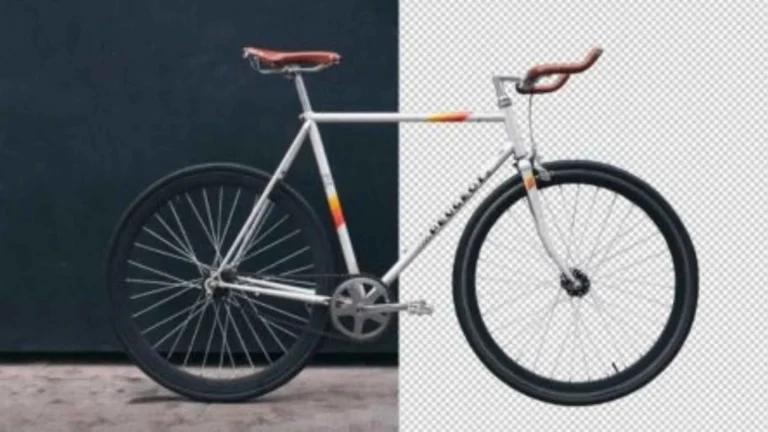
Simple, high-contrast subjects (a solid-color mug on white, a basic box): automated tools generally handle these fine, fast, and cheap.
Complex edges (hair, fur, fine jewelry chains, semi-transparent fabric, glass): automated tools frequently leave visible errors, slightly rough edges, a color halo, and lost fine detail. Manual or AI-assisted human review work is the more reliable choice here.
High-volume catalogs needing consistency: even when individual images could be handled automatically, maintaining a consistent look across hundreds of images benefits from a provider with a real quality-control process, not just raw automated throughput.
Types of Clipping Paths, and When Each One Is Used
Simple Path
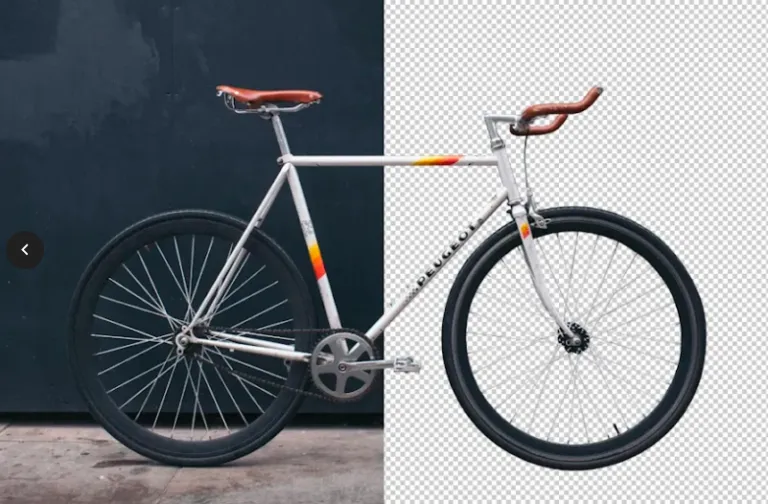
Simple path: a single closed line around a subject with no interior holes, used for basic shapes like a solid object or a piece of jewelry without gaps.
Compound Path
Compound path: A path that has one or more interior cutouts. You’ll need this for anything with a hole in it, such as a ring, a cup handle, or a glass frame.
Complex Path
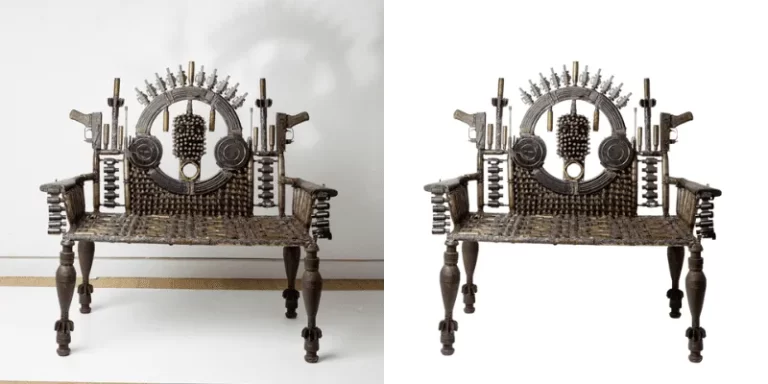
Complex path: lots of individual points and curves to work with an irregular, detailed outline, common in product shots with fine trim, cutwork, or complex edges.
Super Complex Path
Super complex path: used for subjects with a very high number of independent shapes that require separate paths, such as a group product shot, or a piece with dozens of small cutout details, and typically the most time-intensive and highest-cost category.
Red Flags When Evaluating a Provider
Pricing with no clear structure. If a provider can’t explain whether you’re paying per image, per hour, or per batch before you send files, that’s worth pausing on.
No sample or trial option. A provider confident in their work will usually offer a free sample on your actual images. Reluctance to do this is a signal worth noting.
Unclear responses to who is editing. Some providers subcontract work with little quality oversight. Ask directly whether the same team handles revisions if something needs correcting.
No stated revision policy. If revisions aren’t mentioned until after you’ve already sent a full batch, that’s the wrong time to find out how they’re handled.
Frequently Asked Questions
What's the difference between clipping path and image masking?
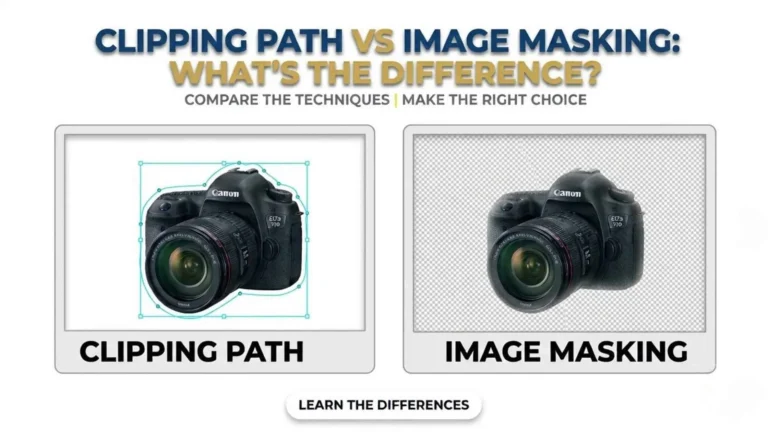
A clipping path uses a defined vector path around a subject, best for objects with clean, hard edges. Image masking is used for soft or complex edges (hair, fur, translucent fabric) where a hard vector line would look unnatural.